


Mirror App - HD Makeup Mirror
3.94.00 Reviews
App Specs
- Version
- 1.1
- Updated On
- License
- Free
- Downloads
- 10,000+
- Developer
- PimoApps
- Categories
- Beauty
- Platform
- Android
Screenshots
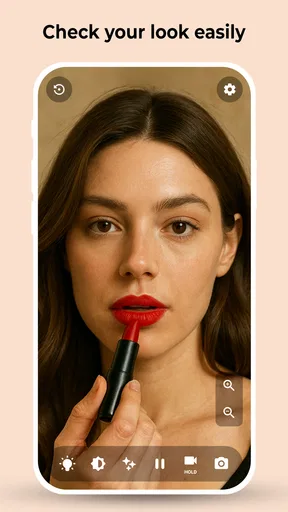
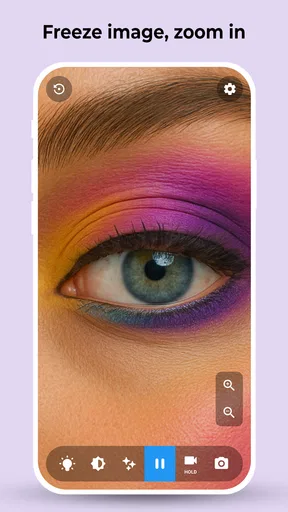
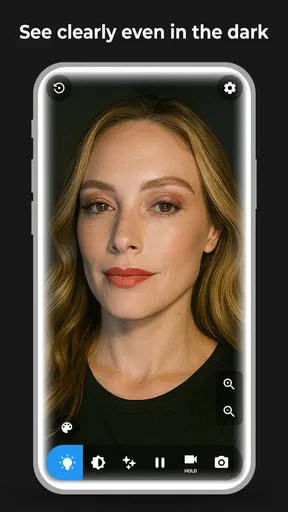
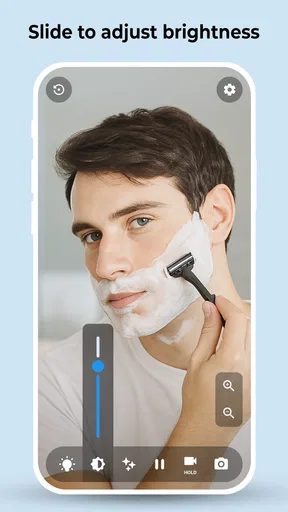
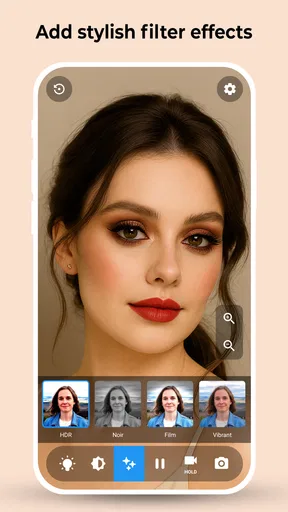
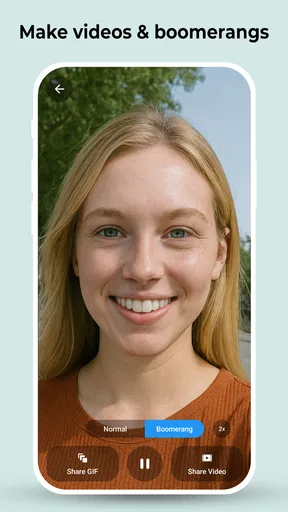
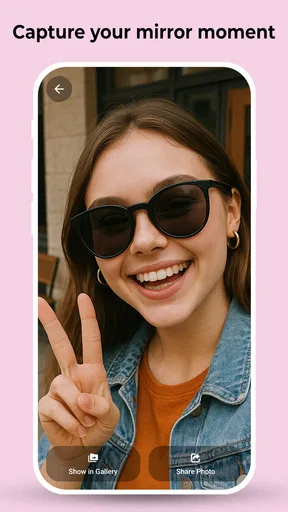
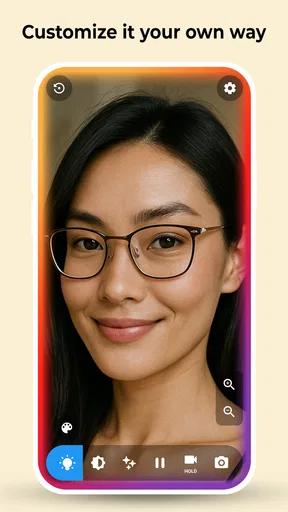
 Analysis by AppCompare
I often notice the value of a phone mirror in small, awkward moments: checking a smudge before a meeting, fixing a stray hair in a hallway, or making sure makeup looks even before stepping outside. Mirror App - HD Makeup Mirror is built for those quick checks, using the phone screen as a reflection rather than asking me to take and review a photo. That simple purpose is useful, though it also means the app works best when I treat it as a handy substitute for a compact mirror, not a full beauty studio.
Readability and navigation in a quick check
The appeal here is that the task is immediately understandable: open a mirror app, look at the screen, and make a small adjustment. I don’t need to learn a complicated editing workflow or choose from lots of beauty tools before I can see my face. That directness matters when I’m in a hurry, and it can also make the app less intimidating for someone who doesn’t enjoy fiddling with phone settings.
For a practical routine, I’d open it before applying anything that needs precision, then adjust the screen brightness to suit the room and use zoom only for a close detail. A useful trade-off is that zoom helps inspect an area but narrows the view, so I’d switch back to the wider reflection to judge the overall result. That quick two-step check is more reliable than staying magnified and accidentally overcorrecting one small spot.
The app is a free beauty utility from PimoApps. It has an average rating of 3.9 from around 200 ratings, and more than 10,000 installs. Its current version is 1.1, it was released in June 2025, and it is rated for everyone. There are optional in-app purchases, with listed items ranging from about fifty cents to seven dollars. I’d keep that in mind if I’m looking for a completely no-cost experience, even though the basic idea is straightforward.
Motor and sensory considerations
A mirror app can be helpful when holding and positioning a small physical mirror is inconvenient, but it still asks me to hold a phone steady and interact with on-screen controls. Zoom is a practical aid for seeing a detail more closely; at the same time, moving between controls and the reflection may take extra care for anyone with limited dexterity or hand tremors. I’d set the phone on a stable surface when possible, rather than trying to adjust the image while holding it in midair.
Lighting also affects the experience. Brightness control can make the screen easier to see in a dim space, but raising screen brightness is not the same as adding light to the face. In a dark room, the reflected image may still be hard to judge, and a bright screen can feel uncomfortable for someone sensitive to glare. I’d make small adjustments and avoid using the display at an unnecessarily high level.
Transform Your Phone into a Handy Mirror
First things first, the concept of Mirror App - HD Makeup Mirror is pretty straightforward. It turns your smartphone into a high-definition mirror, and the quality of the reflection is surprisingly clear. This app is particularly handy when you're out at a restaurant or traveling, and there's no mirror in sight.
Worth Reading Before You Choose

Baby Panda World Brings Quick Play to Modern Phones, but Its Game Library Feels Busy

ESPN’s Live Game View Makes Following Close Games Easier

QuizzLand Review: A Good Fit for Short Trivia Breaks, Not Every Player

Basketball Stars: Multiplayer Is Fast, but Can It Recover When Matches Go Wrong?

WEBTOON Turns Phone Updates Into a Better Reading Routine

Link to Windows Runs on Shared Habits, Not Social Feeds
Features That Reflect Brilliance
One of the main things I love about this app is its zoom function. You can zoom in to get a closer look at those fine details. Need to touch up your eyeliner or check if there’s spinach stuck in your teeth? No problem. This app’s got you covered.
Next up is the brightness control. Depending on the lighting conditions around you, you might need to adjust the brightness of your virtual mirror. The app allows you to do just that with a simple swipe, ensuring you get the perfect reflection no matter where you are.
Let’s not forget the freeze image feature. Tap to freeze the image for a quick selfie or to fix that stubborn hair out of place. This feature is a lifesaver when you’re in a rush.
Easy to Use Interface
The developers have done a stellar job with the user interface. The app is intuitive and easy to navigate, which makes the whole experience even more enjoyable. You don’t need to be tech-savvy to use it. Just open the app, and you're good to go.
Why It Stands Out
Now, you might be thinking, “Why not just use the front camera?” Well, sure, you could, but the app offers a much clearer and focused reflection. Plus, the added features like zoom and brightness control give it an edge over your regular camera app.
Another cool aspect is that it doesn’t have any ads cluttering the screen. We all know how annoying it is when you're trying to do something, and ads keep popping up. Thankfully, this app offers a clean and ad-free experience.
Situational access and everyday usefulness
A realistic use is a quick check between leaving work and meeting friends: I can step into a well-lit lobby, open the app, check whether my hair has shifted, then use zoom briefly for a small makeup detail. If the image is frozen while I make an adjustment, I can use it as a reference rather than repeatedly moving the phone toward my face. The trade-off is that a frozen view won’t show a change I make afterward, so I’d return to the live reflection before deciding I’m finished.
This is also where a phone mirror differs from the usual alternatives. A compact mirror is dependable without battery or screen controls, and a bathroom mirror gives a broader view under familiar lighting. The phone is easier to carry when I already have it with me, while zoom and brightness controls can help with close inspection. For applying makeup from scratch, checking the whole face, or judging color in natural light, I’d still prefer a larger mirror near a window.
There are situations where I would skip opening the app. If I’m walking, using it near traffic, or trying to make a delicate adjustment in a crowded space, managing a phone can be distracting or awkward. I’d stop somewhere safe, brace the phone if possible, and use the app only for a short check. It is a convenience tool, not a reason to handle a screen when attention should be elsewhere.
Remaining barriers and practical trade-offs
The main limitation is that brightness control changes the screen, not the surrounding light. If the face is in shadow, turning the display up may make the interface brighter without making the reflected detail easier to assess. For a more useful check, I’d face a nearby light source and avoid standing with a bright window behind me. That small positioning choice can matter more than repeated brightness adjustments.
There is also a difference between seeing a reflection and evaluating a finished look. Zoom can reveal eyeliner edges or a small blemish, but it can make tiny imperfections seem more important than they appear at normal distance. I’d use close-up inspection sparingly, then step back and look at the broader image. Someone who wants filters, saved beauty looks, or extensive photo editing may find a camera or makeup app more suited to that creative task.
Although the app is rated for everyone, ease of use will still depend on the person and the setting. A user who needs larger interface elements, spoken guidance, or hands-free controls should check whether the phone’s own accessibility settings make the controls comfortable before relying on it. I wouldn’t assume a mirror app solves those needs automatically. A physical mirror may be simpler for someone who finds touch controls difficult, while a stand or another person’s help can make positioning easier.
Inclusive verdict
My recommendation is for people who want a straightforward phone-based reflection for brief grooming checks and are comfortable handling a screen. I’d especially consider it for travel, shared spaces, or a bag where carrying a separate mirror is inconvenient. The free app is from PimoApps, with an average rating of 3.9 based on around 200 ratings, and its optional purchases range from about fifty cents to seven dollars. The rating gives a rough sense of other users’ experiences, but it doesn’t tell me whether the controls will suit a particular person, so I’d judge that by trying the basic workflow.
It is less suitable as the only mirror for someone who needs hands-free positioning, a wide view, dependable illumination, or careful color assessment. In those cases, a physical mirror, a well-lit vanity, or the phone’s regular camera may be a better fit. For my own quick checks, the value is in having zoom and screen brightness close at hand without turning a small grooming task into a photo-editing project.
Final Thoughts
In a nutshell, Mirror App - HD Makeup Mirror is a must-have for anyone who wants a reliable mirror on their smartphone. It’s perfect for quick touch-ups and ensuring you always look your best. Whether you're a frequent traveler or just someone who loves convenience, this app is sure to become your new best friend.
Ready to make your life a tad bit easier? You can download Mirror App - HD Makeup Mirror on both Android and iOS. Trust me, once you try it, you won’t look back. Happy mirroring!
Pros
- Crystal-clear reflection quality.
- User-friendly interface.
- Adjustable brightness levels.
- Zoom functionality for detail work.
- Lightweight and quick to load.
Cons
- Ads can be intrusive.
- Limited features in free version.
- No offline access.
- Occasional lag on older devices.
- No customization options.
FAQs for Mirror App - HD Makeup Mirror
What is Mirror App - HD Makeup Mirror?
Mirror App - HD Makeup Mirror is a mobile application designed to turn your smartphone into a high-definition mirror. It utilizes the front camera to provide a clear and detailed reflection, making it convenient for makeup application or quick touch-ups when you're on the go.
Does Mirror App - HD Makeup Mirror require an internet connection?
No, Mirror App - HD Makeup Mirror does not require an internet connection to function. The app uses your device’s front camera for its mirror feature, which works perfectly offline. This makes it a reliable tool to use anytime, anywhere, without worrying about connectivity issues.
Are there any special features in Mirror App - HD Makeup Mirror?
Yes, Mirror App - HD Makeup Mirror offers several features to enhance your experience, including zoom functionality and adjustable brightness. These features help provide a clearer view for detailed tasks, like applying makeup or grooming. Some versions may also offer filters or frames to enhance the display.
Is Mirror App - HD Makeup Mirror compatible with all devices?
Mirror App - HD Makeup Mirror is designed to be compatible with most Android and iOS devices. However, to ensure optimal performance, it’s recommended to have a device with a decent front camera and up-to-date operating system. Check the app store for specific compatibility details with your device.
Does Mirror App - HD Makeup Mirror store any personal data?
Mirror App - HD Makeup Mirror focuses on privacy and does not store any personal data or images. Since it operates using the camera in real time, no images are saved or transmitted. Always review the app permissions to ensure your data privacy is maintained.


